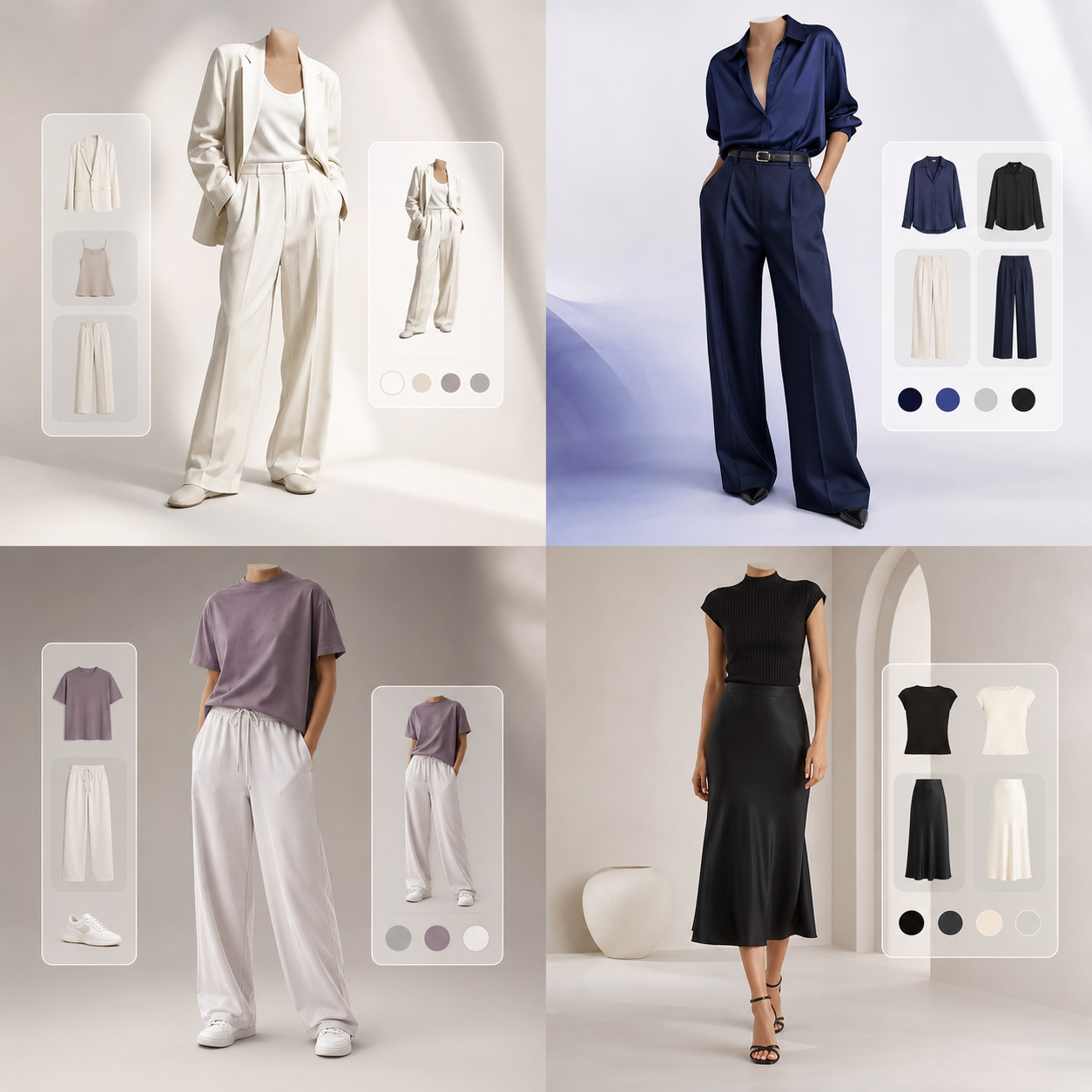


Redefining the Online Apparel Shopping Flow
Online dressing rooms represent the future of fashion retail. By replacing static model cards with personalized visual previews, shoppers get the visual feedback they need to buy with confidence. It closes the cognitive gap of ecommerce.
Try It On’s virtual fitting room acts as a bridge between ecommerce sites and your home closet, letting you check styles, compare sizes, and build collections without traveling to a physical shopping mall. It saves time and energy.
By providing instant reflection on your portrait photo, the dashboard resolves fit doubts. Shoppers try on shirts, jackets, blazers, and trousers side-by-side, purchasing only correct sizes and flattering shapes.
Setting Up Your Reference Avatar for Realistic Fits
To generate accurate try-on renders, set up a high-quality styling profile. Take a front-facing photo of yourself under soft, natural light, standing straight with arms slightly away from your sides, creating separation.
Wear form-fitting base clothes like a plain tee and slim trousers. This clear pose allows our neural networks to detect shoulder, waist, and ankle keypoints accurately, ensuring seamless warp blending and shading.
Avoid dark, grainy rooms or busy backgrounds. Standing against a neutral wall helps the segmentation models parse your silhouette coordinates accurately, resulting in clean, lookbook-quality overlays.
Screenshot Integration: Trying On Clothes from Any Store
Our virtual dressing room is platform-agnostic. Screenshot clothing listings from Zara, H&M, Amazon, Myntra, or local boutiques, crop out text overlays, and upload the image. It handles any web catalog.
The AI warp engine detects the garment silhouette, deforming the pixels to wrap around your avatar's body geometry, displaying how details and logos look on you. It preserves 98% of fabric details.
You can upload images from your phone gallery. Sourcing clear shots of the clothes laid flat or worn by mannequin models yields clean boundaries, highlighting stitching and texture details.
Layering and Outfit Curation: Planning Full Looks Virtually
Dressing well is about layering and coordination. Rather than viewing items in isolation, our fitting room allows you to overlay shirts, trousers, and outerwear simultaneously, curating style moodboards.
You see if a trench coat hangs cleanly over a knit sweater or if denim trousers clash with a casual shirt, helping you check alignment details before checking out online. It maximizes closet utility.
Drag and drop items to compile folders for workwear, travel capsules, or weekends. Visualizing layered coordinates prevents color clashing, ensuring you build a cohesive personal style.
Sustainable Shopping: Cutting Returns at the Source
Fit and styling disappointment account for up to 70% of online fashion returns. Every return triggers transit emissions, packaging waste, and logistical costs, creating a major environmental crisis.
Virtual dressing rooms resolve this by replacing guesswork with visual fit checks. Try It On helps you buy the right size and shade the first time, supporting sustainable shopping habits. It slashes return logs.
Ultimately, circular commerce aligns economics with ecology. As shoppers purchase intentional capsule wardrobes virtually, brands operate efficiently, reducing overproduction waste and shipping footprints.
Optimizing Your Digital Dressing Room Experience
To achieve the absolute highest fidelity when rendering clothing virtually, understanding the interaction between camera angles and neural networks is essential. Our generative AI engine maps your body coordinates by identifying 24 key joints on your portrait. Stand straight, face the camera directly, and keep your camera at eye level (about 4 to 5 feet from the ground). Posing at high or low camera angles distorts body proportions, causing the warping engine to stretch sleeves or collars unnaturally on your generated preview cards.
Textile weight and density also play a critical role in visual simulations. Heavy fabrics like denim, structured leather, and thick wool are modeled with high rigidity boundaries. This means they retain their boxy silhouette shapes. Lightweight textiles like linen, silk, and stretch knits drape loosely, wrapping around your pose curves. If you are trying on structured outerwear, wear thin, form-fitting base clothes in your reference photo. Bulky base garments distort the coordinate detection, causing subsequent layers to appear too loose.
Lighting consistency is the final element that converts simple mockups into studio-grade lookbook assets. The generative model blends ambient light from your reference photo onto the garment texture, drawing realistic shadows along creases. For best results, capture your profile photo in soft, front-facing daylight. Avoid strong backlights or colorful room lights, as these distort the color theory matching and contrast balancing. With these simple setup steps, you can build a premium digital wardrobe playground, comparing outfits side-by-side and shopping with absolute visual confidence.
Organizing your digital wardrobe is the final step toward an optimized lifestyle. By logging your favorite shirts, trousers, and outerwear as digital assets, you build a playground for coordination. Our conversational AI fashion stylist is available 24/7 to suggest outfit pairings, check color harmony, and recommend seasonal trends. Sharing styling cards with friends for feedback turns online shopping into an interactive community experience, helping you build a versatile closet.