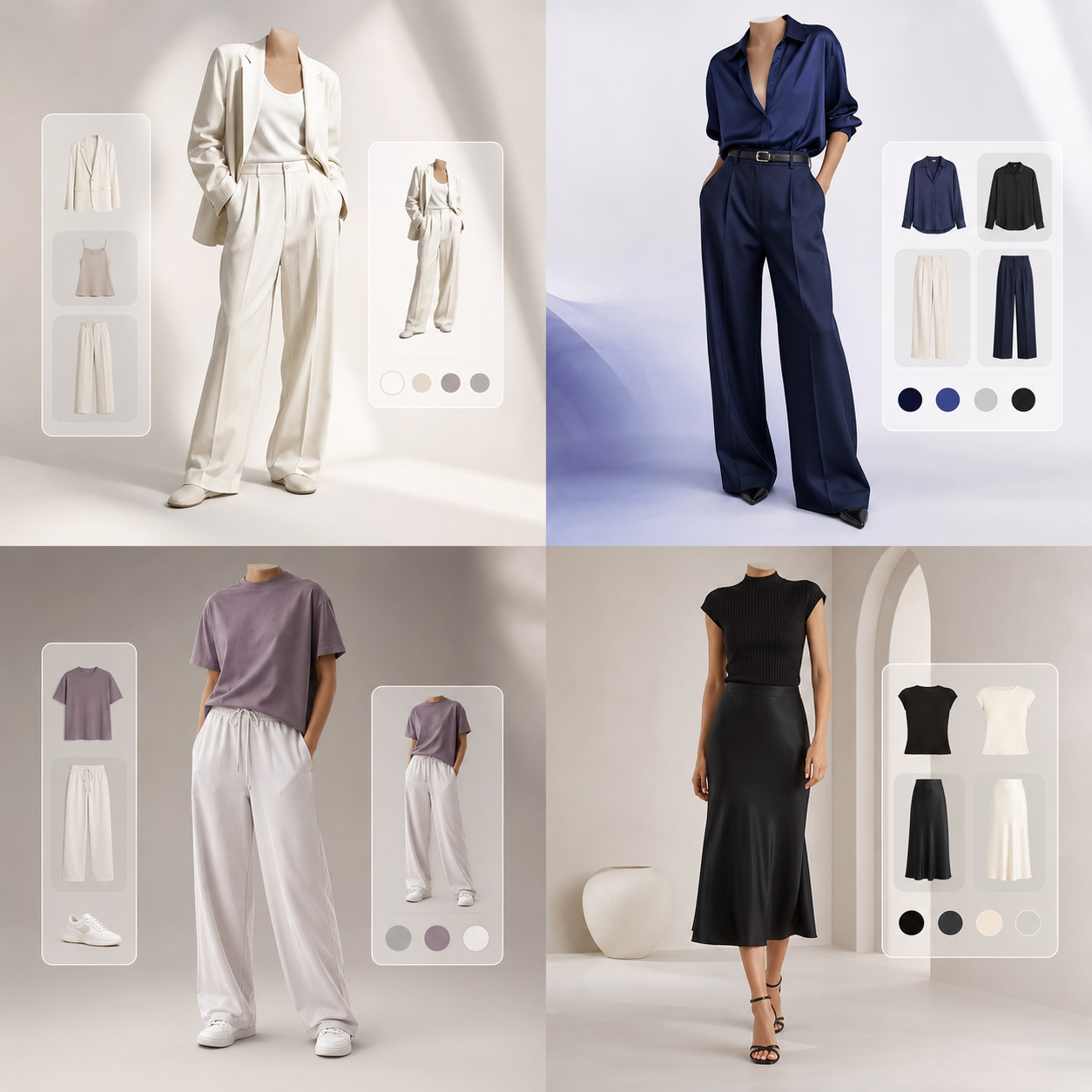


Understanding the Foundations of AI Fitting Technology
For years, the biggest obstacle in fashion ecommerce has been visual estimation. Shoppers look at catalog models and attempt to guess how a dress or jacket might look on their unique height, shoulders, and waist contours. Early efforts to solve this relied on simple "augmented reality stickers" which pasted a flat PNG image over a webcam feed. These solutions felt gimmicky, failed to adapt to body postures, and did not reflect true drape or fabric behavior.
Modern AI virtual try-on technology relies on generative computer vision to create real visual previews. By analyzing structural keypoints on a human body and the geometry of a garment, generative models construct a brand new image from scratch. The final visual retains the texture, logos, and features of the original clothing, while matching the exact contours, curves, and shadows of the shopper’s body.
This technology represents a major scientific achievement, uniting multi-view geometry, physics-informed neural networks, and generative paint tools. It translates flat fabric specifications into realistic 3D representations that respond to limb bends, shadows, and camera angles, making online shopping interactive and reliable.
Step 1: Pose Analysis and Human Parsing
The pipeline starts with human parsing and pose estimation. When a user uploads a reference photo, the AI uses segmentation networks (like DensePose) to identify body boundaries, joints, and limbs. It maps the photo into segments: torso, left arm, right arm, neck, and face. It builds a detailed skeleton structure of the shopper.
Simultaneously, a keypoint detector maps joint coordinates. This allows the AI to determine if the user is standing straight, hands on hips, or in a dynamic pose. Identifying this structure is critical because it tells the warping engine exactly where the sleeves should wrap, how the collar should rest, and where the hemline should fall.
The segmenter isolates background items, ensuring the garment is only overlaid on the body regions. It handles occlusion details—like long hair covering a shoulder or a hand resting on a waist—by masking those elements and drawing them back over the garment in a final blending pass.
Step 2: Geometric Garment Warping
Once the pose coordinates are set, the clothing image must be warped. If you upload a photo of a flat-laid shirt, it has a simple rectangular shape. A geometric warping network deforms this flat texture so that its shoulders, chest, and hemline align with the user’s segmented pose regions, conforming to the contours.
This is typically achieved using Thin-Plate Splines (TPS) or flow-based warping networks. The AI calculates displacement fields for thousands of individual pixels. For instance, it identifies that the sleeve pixels of the flat shirt must stretch and bend around the user’s forearm coordinate point, while the logo in the center must compress slightly to match the chest curvature.
The warp engine respects the physical structure of different textiles. Thick denim resist stretching, maintaining structured shoulders, whereas lightweight silk wraps smoothly, creating natural folds. It ensures the warped shape reflects designer intent rather than generic distortions.
Step 3: Latent Diffusion and Image Blending
Warping coordinates get the shape correct, but the boundaries look artificial. The warped clothing might overlap the user’s skin awkwardly, have jagged edges, or lack depth. It requires blending to match lighting and draw textures.
To fix this, a blending network (often based on Generative Adversarial Networks or Latent Diffusion Models) synthesizes the warped clothing with the parsed human pose. The model paints shadows along the creases, draws overlapping seams, and blends the skin lines. It ensures the lighting on the garment matches the ambient room light of the user’s original photo, outputting a high-fidelity image.
The diffusion model handles complex details like texture consistency and text alignment. It draws micro-wrinkles along joint bends (elbows, waist) and balances color contrasts. This final pass converts mathematical warps into a photo-realistic styling preview.
Future Directions: 3D Video Fitting and Custom Tailoring
Looking ahead, virtual dressing rooms will evolve into real-time 3D simulation engines. Shoppers will see how fabrics drape and move as they walk or turn in front of their phone cameras. It will restore the changing room mirror dynamically.
Ultimately, Try It On is committed to driving this sustainable retail transition, helping consumers shop with confidence and brands build clean, efficient style platforms. By eliminating fit uncertainty, we support a green, optimized fashion cycle.
As computer vision models scale, we will see custom manufacturing integrations. Your virtual fit profile will communicate with tailors directly, generating custom-cut garments on demand, eliminating mass-production waste and standard sizes entirely.
Optimizing Your Digital Dressing Room Experience
To achieve the absolute highest fidelity when rendering clothing virtually, understanding the interaction between camera angles and neural networks is essential. Our generative AI engine maps your body coordinates by identifying 24 key joints on your portrait. Stand straight, face the camera directly, and keep your camera at eye level (about 4 to 5 feet from the ground). Posing at high or low camera angles distorts body proportions, causing the warping engine to stretch sleeves or collars unnaturally on your generated preview cards.
Textile weight and density also play a critical role in visual simulations. Heavy fabrics like denim, structured leather, and thick wool are modeled with high rigidity boundaries. This means they retain their boxy silhouette shapes. Lightweight textiles like linen, silk, and stretch knits drape loosely, wrapping around your pose curves. If you are trying on structured outerwear, wear thin, form-fitting base clothes in your reference photo. Bulky base garments distort the coordinate detection, causing subsequent layers to appear too loose.
Lighting consistency is the final element that converts simple mockups into studio-grade lookbook assets. The generative model blends ambient light from your reference photo onto the garment texture, drawing realistic shadows along creases. For best results, capture your profile photo in soft, front-facing daylight. Avoid strong backlights or colorful room lights, as these distort the color theory matching and contrast balancing. With these simple setup steps, you can build a premium digital wardrobe playground, comparing outfits side-by-side and shopping with absolute visual confidence.
Organizing your digital wardrobe is the final step toward an optimized lifestyle. By logging your favorite shirts, trousers, and outerwear as digital assets, you build a playground for coordination. Our conversational AI fashion stylist is available 24/7 to suggest outfit pairings, check color harmony, and recommend seasonal trends. Sharing styling cards with friends for feedback turns online shopping into an interactive community experience, helping you build a versatile closet.